


Conversion instructions below

Go Ad-Free with ezyZip Pro!
Compress files of any size with no file size limits and no ads. ezyZip Pro includes a desktop Archive Creator app with password protection and multi-volume splitting.
Watch a 60-second walkthrough
How to convert folder to TAR.BZ2 file?
Below are step by step instructions for converting a folder online using ezyZip.
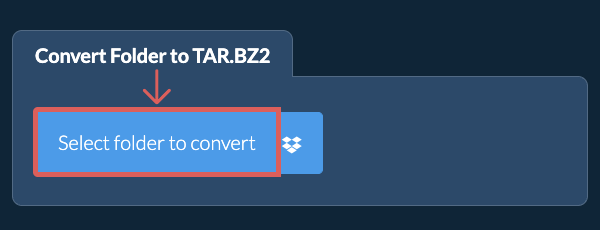
- Select folder to convertClick "Select folder to convert" to bring up the folder chooser
- (Optional) Set compression level(Optional) Set the desired compression level by clicking the down arrow next to "Create TAR.BZ2 File". This will only work with archive formats that support compression.
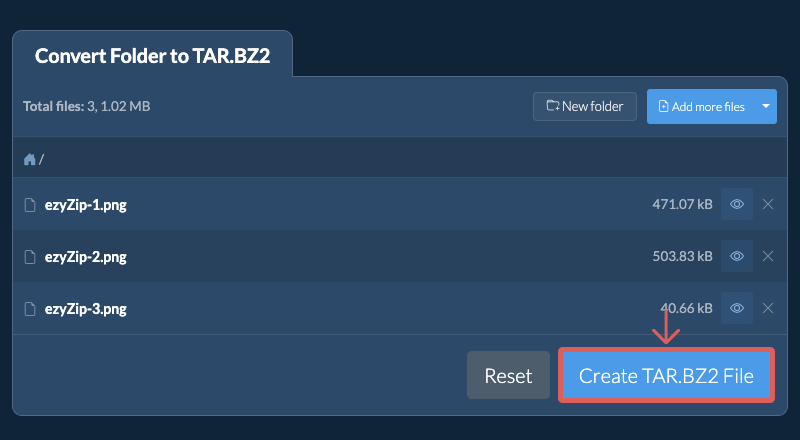
- Create TAR.BZ2 archiveClick "Create TAR.BZ2 File". It will start creating the TAR.BZ2 archive from your folder contents.
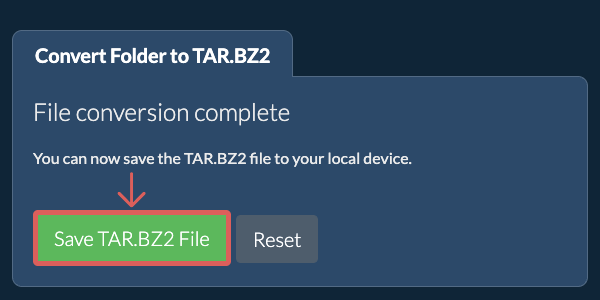
Once all the files are processed, the "Save TAR.BZ2 File" button will appear. - Save your archiveClick "Save TAR.BZ2 File" to save the folder archive to your selected destination folder.
- Click the Dropbox iconClick on the Dropbox logo () in the TAR.BZ2 file selector button.

- Authorise and pick filesThe Dropbox file chooser will appear. You will need to authorise access to ezyZip the first time.
- Files appear in the listingOnce you have selected the TAR.BZ2 file, it will download it to your browser and initiate the conversion.
- Save back to DropboxTo save the converted TAR.BZ2 file to Dropbox, click on "Dropbox" dropdown under the "Save TAR.BZ2 File" button. This will require authorisation the first time you run it.
The file will be stored in /Apps/ezyZip folder.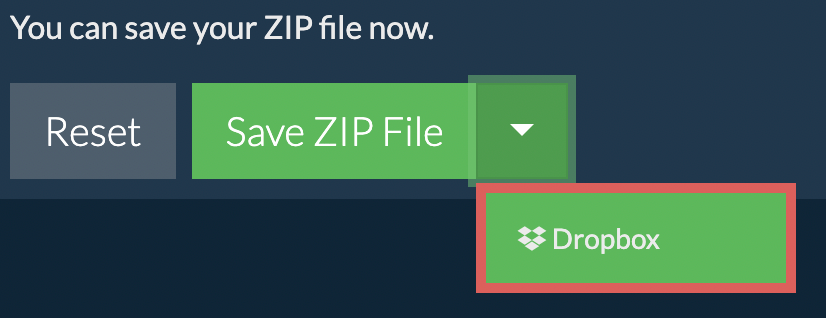
Frequently asked questions
We are continuously updating the system, so ensure you are using the latest version of one of the popular browsers or their variants. (e.g. Chrome, Firefox, Safari, Opera).
Please let us know via the feedback form if you have any issues.
A TAR.BZ2 file is a compressed archive format that combines the TAR archive format with BZIP2 compression. The TAR format bundles multiple files and directories into a single archive, while BZIP2 compresses this archive to reduce its size. This format is commonly used in Unix and Linux environments, particularly where high compression is needed without sacrificing too much decompression speed.
TAR.BZ2 files are known for offering better compression ratios than TAR.GZ files, though the compression and decompression processes may take slightly longer. This format is often used for archiving source code and distributing software packages where efficient compression is crucial.
ezyZip processes files directly in your browser. Unlike most online tools, your files are not uploaded to our servers, which means faster processing and better privacy. Take a look at the feature comparison below and we think youll agree that ezyZip is the better choice for your file conversion needs.
| Feature | ezyZip | Other Online Tools |
|---|---|---|
| No Software Installation | Works Directly in Browser | Works Directly in Browser |
| Processing Location | Your Browser (No Upload) | Their Servers (Upload Required) |
| Privacy & Security | 100% Private (Files Never Leave Your Device) | Files Uploaded, Accessible by Others |
| Processing Speed | Fast (No Upload/Download Time) | Slow (Upload + Process + Download) |
| Registration Required | Never | Often Required for Large Files |
| Works Offline | Yes (After Page Load) | No |
| Supported Formats | 130+ Archive Formats | Limited Format Support |
| Cost | 100% Free | Free with Limitations / Paid Tiers |
| Established | Since 2009 (15+ Years) | Recent (May Disappear) |